Preparing for a data analyst interview in 2026? This guide covers the top 50 SQL interview questions and answers — from beginner to advanced. Topics include SQL basics, joins, aggregation, subqueries, CTEs, window functions, and database design. Every question includes a clean answer, a code example, an interviewer tip, and a difficulty tag. Perfect for freshers and experienced professionals targeting MNC roles. Practice every query free on dynamicduniya.com.
SQL is the single most tested topic in every data analyst technical interview in 2026 — in India and globally. Whether you are a fresher preparing for campus placements at TCS, Infosys, or Wipro, or an experienced professional targeting MNC roles at Accenture, Cognizant, or HCL, SQL interview questions will appear in your written test, technical round, or coding assessment without exception.
The demand for data analysts who can write clean, efficient SQL queries has never been higher. In India, the data analyst job market is growing at a pace where even freshers with solid SQL skills are landing strong packages. In the USA, UK, and Canada, SQL remains the baseline expectation for any analytics role. No matter where you are interviewing, SQL interview questions and answers form the backbone of your technical preparation.
This post covers 50 carefully selected SQL interview questions organized from basic to advanced across six topic areas: SQL basics, joins, aggregation, subqueries and CTEs, window functions, and database design. Every question includes a clear answer, a clean SQL code example where relevant, an interviewer tip, and a difficulty tag.
Before you start, bookmark the SQL Online Compiler on dynamicduniya.com — you can run every query in this post directly in your browser with zero software installation needed.
This guide is organized into 6 sections, each building on the previous one.
For hands-on practice alongside this guide, read 30 Real-World SQL Queries Examples for Practice on dynamicduniya.com — it gives you a complete dataset-based workout that mirrors what you will actually write in technical rounds.
These are the most commonly asked SQL interview questions for beginners in India — expect at least 5–7 of these in your first technical round at any company. TCS, Infosys, and Wipro use these exact concepts in their written tests and first interview rounds. Nail this section before moving forward.
SQL (Structured Query Language) is the standard language used to communicate with relational databases. It lets you create, read, update, and delete data stored in tables. In data analysis, SQL is the primary tool for querying large datasets, joining multiple tables, filtering records, and computing aggregations that drive business decisions.
Most organizations — from startups to Fortune 500 companies — store operational data in relational databases like MySQL, PostgreSQL, or Microsoft SQL Server, and analysts must be able to query that data directly. In India's job market, SQL proficiency is the number one technical skill listed in data analyst job descriptions. Knowing SQL well enough to write complex queries without a reference sheet is what separates hireable candidates from those who do not get call-backs.
Interviewer Tip: This question tests whether you understand the business purpose of SQL, not just its syntax — connect your answer to data analysis and decision-making.
Difficulty: Beginner
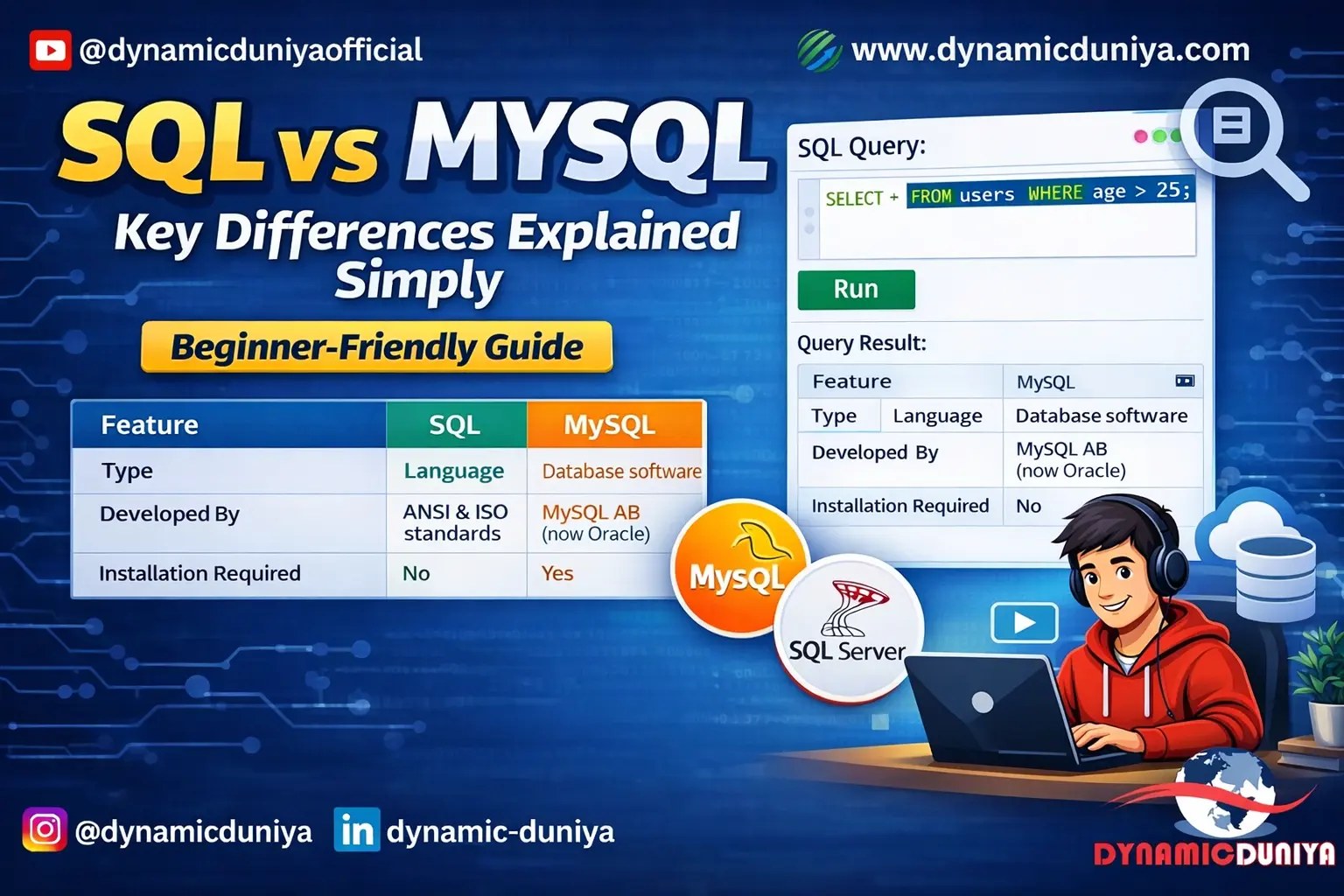
SQL is a language — a set of standard commands and syntax used to interact with relational databases. MySQL is a database management system (DBMS) — a software application that implements and runs those SQL commands. Think of SQL as the language and MySQL as one specific program that understands that language.
Other popular systems that use SQL include PostgreSQL, Microsoft SQL Server, SQLite, and Oracle. Each of these has slight syntax variations, but the core SQL commands are the same across all of them. For data analyst interviews, you should know standard SQL deeply, and be aware of which system the company uses.
For a deeper comparison, read the SQL vs MySQL Guide on dynamicduniya.com.
Interviewer Tip: This question screens for foundational clarity — many freshers confuse the language with the tool, which signals shallow preparation.
Difficulty: Beginner
SQL commands are categorized by their function:
Understanding this classification helps you reason about what a command does before you run it — which matters especially in production environments where a wrong DDL command can drop an entire table permanently.
-- DDL: Create a table structure
CREATE TABLE employees (
    emp_id    INT PRIMARY KEY,
    emp_name  VARCHAR(100),
    salary    DECIMAL(10,2)
);
-- DML: Insert and query data
INSERT INTO employees VALUES (1, 'Rahul Sharma', 65000.00);
SELECT * FROM employees;
-- DCL: Grant read access to a user
GRANT SELECT ON employees TO analyst_user;
-- TCL: Save or undo changes
COMMIT;
ROLLBACK;
Interviewer Tip: Interviewers want to see that you can categorize commands correctly — this reveals systematic thinking, not just memorized syntax.
Difficulty: Beginner
DELETE removes specific rows from a table based on a WHERE condition and can be rolled back because it logs individual row deletions.
TRUNCATE removes all rows from a table at once — it is faster than DELETE, does not log individual row deletions, and in most databases cannot be rolled back.
DROP removes the entire table including its structure, all data, and its definition from the database — this is permanent and irreversible without a backup.
A useful way to remember: DELETE is surgical (row-level), TRUNCATE is a table flush (data only), and DROP is demolition (structure and all).
-- DELETE: Remove employees in a specific department
DELETE FROM employees WHERE department = 'Temp';
-- TRUNCATE: Remove all rows, keep table structure
TRUNCATE TABLE temp_staging;
-- DROP: Remove the entire table permanently
DROP TABLE old_archive;
Interviewer Tip: Know that DELETE is DML (rollback possible), TRUNCATE is DDL (generally not rollbackable), and DROP is permanent. This is one of the most common SQL interview questions for freshers.
Difficulty: Beginner
A PRIMARY KEY is a column (or combination of columns) that uniquely identifies every row in a table. It enforces two constraints simultaneously: uniqueness and NOT NULL. A table can have only one PRIMARY KEY.
A UNIQUE KEY also enforces uniqueness but allows NULL values (in most databases, a single NULL per column is permitted). A table can have multiple UNIQUE keys.
In practical terms, the PRIMARY KEY is the main identifier you use for joins and foreign key references, while UNIQUE keys enforce business rules like "no two employees can have the same email address."
CREATE TABLE customers (
    customer_id   INT PRIMARY KEY,         -- NOT NULL + UNIQUE enforced
    email         VARCHAR(255) UNIQUE,     -- UNIQUE but NULLs allowed
    phone         VARCHAR(20) UNIQUE,      -- Another unique constraint
    customer_name VARCHAR(150)
);
Interviewer Tip: Candidates who can explain that PRIMARY KEY = UNIQUE + NOT NULL, and that only one PRIMARY KEY exists per table, demonstrate real schema design thinking.
Difficulty: Beginner
A FOREIGN KEY is a column in one table that references the PRIMARY KEY of another table. It enforces referential integrity — meaning you cannot insert a value into the foreign key column that does not already exist in the referenced table, and you cannot delete a referenced row without handling dependent rows first.
Foreign keys are the mechanism that makes relational databases relational. Without them, you can store inconsistent or orphaned data — for example, an order referencing a customer_id that does not exist.
For a complete walkthrough of how foreign keys fit into normalization, read the Normalization Guide on dynamicduniya.com.
CREATE TABLE orders (
    order_id    INT PRIMARY KEY,
    customer_id INT,
    order_date  DATE,
    FOREIGN KEY (customer_id) REFERENCES customers(customer_id)
    -- Cannot insert an order for a customer_id that does not exist
);
Interviewer Tip: Interviewers want you to connect FOREIGN KEY to referential integrity and data consistency — not just recite its syntax.
Difficulty: Beginner
WHERE filters rows before grouping happens. HAVING filters groups after GROUP BY has been applied.
You use WHERE to filter individual rows based on column values. You use HAVING to filter aggregated results — for example, "only show me categories where total sales exceed a certain amount." A common mistake is trying to use WHERE with an aggregate function like SUM() or COUNT(), which causes an error. The correct approach is HAVING.
Both clauses can appear in the same query. When they do, WHERE runs first, then GROUP BY, then HAVING.
-- WHERE filters rows BEFORE grouping
-- HAVING filters groups AFTER aggregation
SELECT
    category,
    SUM(sales_amount) AS total_sales
FROM orders
WHERE order_date >= '2025-01-01'          -- Step 1: Filter rows first
GROUP BY category                          -- Step 2: Group remaining rows
HAVING SUM(sales_amount) > 100000         -- Step 3: Filter groups by aggregate
ORDER BY total_sales DESC;
Interviewer Tip: This is one of the top 5 SQL interview questions asked across every company — the key distinction is execution order: WHERE before GROUP BY, HAVING after.
Difficulty: Beginner
CHAR(n) stores a fixed-length string of exactly n characters — it pads shorter strings with spaces. It is faster for fixed-size data like country codes or gender flags.
VARCHAR(n) stores a variable-length string of up to n characters — it only uses as much storage as the actual data. It is the standard choice for names, emails, and addresses.
TEXT stores large amounts of string data with no defined maximum — it is used for long-form content like descriptions or comments. In most SQL queries for interview scenarios, use VARCHAR for typical string columns and TEXT only for genuinely large content.
Interviewer Tip: This question tests schema design judgment — know that CHAR wastes space for variable-length data, and TEXT cannot always be indexed the same way VARCHAR can.
Difficulty: Beginner
NULL represents the absence of a value — it is not zero, not an empty string, and not false. You cannot compare NULL with = or !=; you must use IS NULL or IS NOT NULL.
Three key functions help manage NULLs:
Always consider NULL edge cases when writing aggregate functions — COUNT(column) ignores NULLs while COUNT(*) counts all rows including those with NULLs.
-- Replace NULL discount with 0
SELECT
    order_id,
    COALESCE(discount, 0)  AS effective_discount,
    NULLIF(quantity, 0)    AS safe_quantity   -- Returns NULL if quantity = 0
FROM orders
WHERE discount IS NULL;
Interviewer Tip: Mentioning NULL edge cases unprompted during a technical round signals senior-level thinking — most junior candidates forget about them entirely.
Difficulty: Beginner
SELECT DISTINCT returns only unique rows, removing duplicate records from the result set. It is useful when a column contains repeated values and you only want to know the unique options — for example, getting a list of all unique product categories, countries, or job titles.
Keep in mind that DISTINCT applies to the entire row, not just one column, when you select multiple columns. Overusing DISTINCT is a code smell — it sometimes masks a poorly written JOIN or a missing GROUP BY.
-- Get all unique categories in the product catalog
SELECT DISTINCT category
FROM products
ORDER BY category;
-- Distinct combination of two columns
SELECT DISTINCT region, category
FROM sales
ORDER BY region, category;
Interviewer Tip: A strong candidate will mention that overusing DISTINCT can hide data quality issues and that GROUP BY is often the more appropriate choice.
Difficulty: Beginner
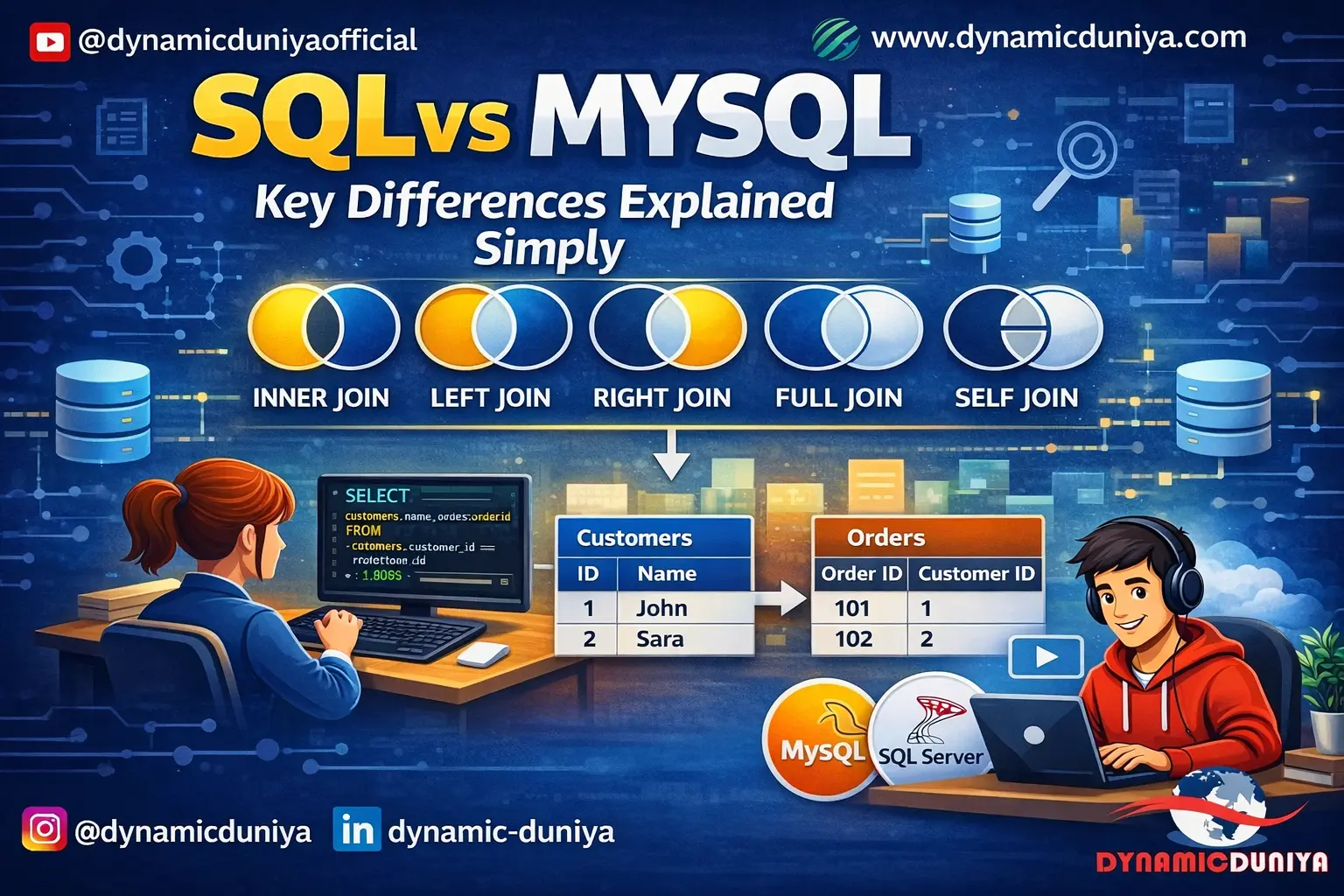
SQL join interview questions appear in almost every data analyst interview, regardless of company size or industry. Before this section, make sure you have read the complete SQL Joins Explained with Examples guide on dynamicduniya.com — it covers all six join types with real code and Venn diagram explanations.
A JOIN combines rows from two or more tables based on a related column between them. We need joins because relational databases store data in multiple normalized tables to reduce redundancy — customer information in one table, order details in another, product information in a third.
Joins are how you reconstruct a complete, meaningful dataset from these separate pieces. Without joins, every useful business question that involves more than one table would be impossible to answer in a single query. SQL join interview questions are so common because they directly test whether you understand relational database design.
Interviewer Tip: Frame your answer around why joins exist — data normalization — not just what they do syntactically.
Difficulty: Beginner
INNER JOIN returns only rows where there is a matching value in both tables. If a row in the left table has no match in the right table, it is excluded entirely.
LEFT JOIN (also called LEFT OUTER JOIN) returns all rows from the left table, plus matching rows from the right table. Where there is no match in the right table, the right-side columns appear as NULL.
In data analyst work, LEFT JOIN is used far more frequently because business questions often start with "for all customers, show their orders" — not "show only customers who have orders."
-- INNER JOIN: Only customers who have placed orders
SELECT c.customer_name, o.order_id, o.order_date
FROM customers c
INNER JOIN orders o ON c.customer_id = o.customer_id;
-- LEFT JOIN: ALL customers, even those with no orders
SELECT c.customer_name, o.order_id, o.order_date
FROM customers c
LEFT JOIN orders o ON c.customer_id = o.customer_id;
-- o.order_id will be NULL for customers with no orders
Interviewer Tip: Draw a mental Venn diagram — INNER is the intersection, LEFT is the entire left circle plus the intersection.
Difficulty: Beginner
RIGHT JOIN returns all rows from the right table, plus matching rows from the left table. Where there is no match in the left table, left-side columns appear as NULL.
In practice, RIGHT JOIN is rarely used — most developers rewrite it as a LEFT JOIN by swapping the table order, since LEFT JOIN is more readable and consistent. RIGHT JOIN becomes useful when you have a base query already written and need to add a new table that must return all its rows.
-- RIGHT JOIN: All orders, even if customer data is missing
SELECT c.customer_name, o.order_id, o.order_amount
FROM customers c
RIGHT JOIN orders o ON c.customer_id = o.customer_id;
-- This is equivalent to: orders LEFT JOIN customers
Interviewer Tip: Show that you know RIGHT JOIN and LEFT JOIN are interchangeable by swapping tables — this signals deeper SQL knowledge.
Difficulty: Beginner
FULL OUTER JOIN returns all rows from both tables. Where there is no match on either side, the non-matching columns are NULL. It is the union of LEFT JOIN and RIGHT JOIN.
MySQL does not support FULL OUTER JOIN natively, so you simulate it by combining a LEFT JOIN and a RIGHT JOIN using UNION (which removes duplicates).
-- PostgreSQL / SQL Server: Native FULL OUTER JOIN
SELECT c.customer_name, o.order_id
FROM customers c
FULL OUTER JOIN orders o ON c.customer_id = o.customer_id;
-- MySQL workaround using UNION
SELECT c.customer_name, o.order_id
FROM customers c LEFT JOIN orders o ON c.customer_id = o.customer_id
UNION
SELECT c.customer_name, o.order_id
FROM customers c RIGHT JOIN orders o ON c.customer_id = o.customer_id;
Interviewer Tip: Knowing the MySQL UNION workaround distinguishes candidates who have actually used SQL in practice from those who only read documentation.
Difficulty: Intermediate
CROSS JOIN returns the Cartesian product of two tables — every row from the left table is combined with every row from the right table. If Table A has 10 rows and Table B has 5 rows, CROSS JOIN produces 50 rows. There is no ON condition.
Real-world use cases: generating all possible combinations of sizes and colors for a product catalog, creating a date-product matrix for reporting, or pairing every sales rep with every region for goal-setting templates.
-- Generate all size-color combinations for a clothing catalog
SELECT
    s.size_name,
    c.color_name
FROM sizes s
CROSS JOIN colors c
ORDER BY s.size_name, c.color_name;
-- If sizes = (S, M, L) and colors = (Red, Blue): 6 rows total
Interviewer Tip: Mention the Cartesian product explicitly — interviewers want to confirm you understand the volume risk of an unintentional CROSS JOIN on large tables.
Difficulty: Intermediate
A SELF JOIN joins a table to itself. This is used when a table has a hierarchical or self-referential relationship — the most common example is an employee table where each employee has a manager_id that references another employee's emp_id in the same table.
You use aliases to treat the same table as two logical tables and join them on the related column.
-- Find each employee along with their manager's name
SELECT
    e.emp_name  AS employee,
    m.emp_name  AS manager
FROM employees e
LEFT JOIN employees m ON e.manager_id = m.emp_id;
-- LEFT JOIN ensures we include the CEO who has no manager (NULL)
Interviewer Tip: Always use LEFT JOIN in a SELF JOIN when working with hierarchical data — INNER JOIN will exclude the top-level rows with no parent.
Difficulty: Intermediate
You chain multiple JOIN clauses in a single SELECT statement, adding one table at a time. Each JOIN adds a new table and specifies how it relates to the existing result set. It is good practice to use table aliases to keep the query readable, especially when the same column name appears in multiple tables.
-- Join orders, customers, and products in one query
SELECT
    c.customer_name,
    o.order_id,
    o.order_date,
    p.product_name,
    oi.quantity,
    oi.unit_price
FROM orders o
INNER JOIN customers c   ON o.customer_id  = c.customer_id
INNER JOIN order_items oi ON o.order_id    = oi.order_id
INNER JOIN products p    ON oi.product_id  = p.product_id
WHERE o.order_date >= '2025-01-01';
Interviewer Tip: Structure your multi-table joins logically — start from the most central table (usually orders or transactions) and build outward.
Difficulty: Intermediate
JOIN combines columns from multiple tables horizontally — it adds more information about the same rows. It requires a related key column between tables.
UNION combines rows from multiple queries vertically — it stacks result sets on top of each other. It requires that both SELECT statements return the same number of columns with compatible data types.
UNION removes duplicates by default; UNION ALL keeps all rows including duplicates and is faster.
-- UNION: Stack active and inactive customer lists vertically
SELECT customer_id, customer_name, 'Active'   AS status FROM active_customers
UNION
SELECT customer_id, customer_name, 'Inactive' AS status FROM inactive_customers;
Interviewer Tip: The horizontal vs vertical distinction is the cleanest way to explain this — most interviewers appreciate that framing immediately.
Difficulty: Intermediate
There are three approaches:
-- Method 1: LEFT JOIN + IS NULL (recommended)
SELECT a.*
FROM table_a a
LEFT JOIN table_b b ON a.id = b.id
WHERE b.id IS NULL;
-- Method 2: NOT IN subquery
SELECT * FROM table_a
WHERE id NOT IN (SELECT id FROM table_b);
-- Method 3: NOT EXISTS (best performance on large tables)
SELECT * FROM table_a a
WHERE NOT EXISTS (
    SELECT 1 FROM table_b b WHERE b.id = a.id
);
Interviewer Tip: Knowing all three methods and their tradeoffs signals strong SQL interview preparation — mention that NOT IN can behave unexpectedly when NULLs are present in the subquery result.
Difficulty: Intermediate
This is a classic SQL coding question that tests joins and NULL handling together. The correct approach is a LEFT JOIN from customers to orders, then filter for rows where the order columns are NULL — meaning no matching order exists.
This question appears frequently in MNC technical rounds. For more real-world query practice, read 30 Real-World SQL Queries Examples on dynamicduniya.com.
-- Customers with no orders: LEFT JOIN + IS NULL filter
SELECT
    c.customer_id,
    c.customer_name,
    c.email
FROM customers c
LEFT JOIN orders o ON c.customer_id = o.customer_id
WHERE o.order_id IS NULL
ORDER BY c.customer_name;
Interviewer Tip: This exact query pattern — LEFT JOIN + IS NULL — appears in real production code constantly. Demonstrating comfort with it shows you can write analysis-ready SQL.
Difficulty: Intermediate
SQL aggregation interview questions test whether you can turn raw transactional data into business insights — a core skill for any data analyst role. These questions regularly appear in data analyst interviews at companies like Wipro, Accenture, and HCL, as well as in SQL written tests for campus placements.
Aggregate functions perform calculations on a set of rows and return a single value. They are the foundation of reporting and analytics in SQL. The five most important ones:
All aggregate functions except COUNT(*) ignore NULL values. Aggregate functions are almost always used with GROUP BY to calculate metrics per category, region, or time period.
-- Five aggregate functions in one query
SELECT
    category,
    COUNT(*)              AS total_orders,
    SUM(order_amount)     AS total_revenue,
    AVG(order_amount)     AS avg_order_value,
    MIN(order_amount)     AS smallest_order,
    MAX(order_amount)     AS largest_order
FROM orders
GROUP BY category;
Interviewer Tip: Be ready to explain the NULL behavior difference between COUNT(*) and COUNT(column_name) — this is a follow-up most interviewers ask immediately.
Difficulty: Beginner
GROUP BY groups rows with the same value in specified columns into summary rows, enabling aggregate calculations per group. It changes the structure of the result — many rows collapse into groups.
ORDER BY sorts the final result set by one or more columns in ascending or descending order. It only changes the sequence of rows — it does not affect which rows appear or how they are grouped.
They can and often should be used together: GROUP BY to aggregate, ORDER BY to sort the output for readability.
-- GROUP BY collapses rows into groups, ORDER BY sorts the output
SELECT
    region,
    SUM(sales) AS total_sales
FROM orders
GROUP BY region              -- One row per region
ORDER BY total_sales DESC;   -- Sorted highest to lowest
Interviewer Tip: Candidates who cannot articulate that GROUP BY changes cardinality while ORDER BY only sorts need more fundamentals work. Keep this distinction sharp.
Difficulty: Beginner
Yes, you can and often should use both in the same query. WHERE pre-filters rows before grouping — this makes the GROUP BY operation faster by reducing the number of rows it has to work with. HAVING then filters the groups after aggregation.
Using both together is a standard pattern in reporting queries: WHERE removes irrelevant data early (by date range, region, or status), and HAVING removes groups that do not meet a business threshold.
-- Find categories with total sales over 50,000 in 2025
SELECT
    category,
    SUM(sale_amount)  AS total_sales,
    COUNT(*)          AS order_count
FROM orders
WHERE YEAR(order_date) = 2025         -- Filter rows first
GROUP BY category
HAVING SUM(sale_amount) > 50000       -- Filter groups after aggregation
ORDER BY total_sales DESC;
Interviewer Tip: Explaining that WHERE runs before GROUP BY (improving performance) while HAVING runs after shows you think about query execution, not just syntax.
Difficulty: Intermediate
COUNT(*) counts all rows in the result set, including rows with NULL values in any column.
COUNT(column_name) counts only the rows where the specified column is NOT NULL.
This distinction matters when a column is optional — if 20 out of 100 customers have no phone number (NULL), COUNT(*) returns 100 but COUNT(phone) returns 80. This is one of the most practical SQL basics questions because incorrect use of COUNT() is a common source of data discrepancies in analyst reports.
SELECT
    COUNT(*)             AS total_rows,        -- All rows, even NULLs
    COUNT(phone_number)  AS rows_with_phone,   -- Skips NULL phone numbers
    COUNT(email)         AS rows_with_email    -- Skips NULL emails
FROM customers;
Interviewer Tip: This is a trap question for candidates who assume COUNT(*) and COUNT(column) are always the same — they are not when NULLs are present.
Difficulty: Beginner
This is the single most asked SQL coding question in Indian technical interviews — at TCS, Infosys, Wipro, and virtually every data analyst role. There are three reliable methods, and knowing all three shows interview readiness.
-- Method 1: Subquery (works in all databases)
SELECT MAX(salary) AS second_highest_salary
FROM employees
WHERE salary < (SELECT MAX(salary) FROM employees);
-- Method 2: LIMIT OFFSET (MySQL / PostgreSQL)
SELECT DISTINCT salary
FROM employees
ORDER BY salary DESC
LIMIT 1 OFFSET 1;
-- Method 3: DENSE_RANK() window function (most scalable — works for Nth highest)
SELECT salary AS second_highest_salary
FROM (
    SELECT
        salary,
        DENSE_RANK() OVER (ORDER BY salary DESC) AS rnk
    FROM employees
) ranked
WHERE rnk = 2;
Interviewer Tip: Presenting all three methods and explaining why DENSE_RANK is preferred for the Nth highest (not just 2nd) puts you firmly above average candidates in any technical round.
Difficulty: Intermediate
The standard approach is to GROUP BY the columns that define a duplicate and use HAVING COUNT(*) > 1 to find groups with more than one row. Define "duplicate" carefully — it might mean all columns match, or only certain key columns like email or phone number.
-- Find duplicate emails in the customers table
SELECT
    email,
    COUNT(*) AS occurrence_count
FROM customers
GROUP BY email
HAVING COUNT(*) > 1
ORDER BY occurrence_count DESC;
-- View the full duplicate rows
SELECT * FROM customers
WHERE email IN (
    SELECT email FROM customers
    GROUP BY email
    HAVING COUNT(*) > 1
);
Interviewer Tip: This is a very common data cleaning question — in real analyst work at companies like Accenture or Wipro, duplicate records are a daily problem you will need to solve.
Difficulty: Intermediate
This is a fundamental reporting query that combines a JOIN, GROUP BY, and aggregate function. It is the type of query data analyst interviews at MNCs test to check whether you can convert a business question into working SQL.
For more revenue analysis queries with a full dataset, read 30 Real-World SQL Queries Examples on dynamicduniya.com.
-- Total revenue per category, sorted highest to lowest
SELECT
    p.category,
    SUM(oi.quantity * oi.unit_price)  AS total_revenue,
    COUNT(DISTINCT o.order_id)        AS total_orders
FROM order_items oi
JOIN products p ON oi.product_id = p.product_id
JOIN orders o   ON oi.order_id   = o.order_id
GROUP BY p.category
ORDER BY total_revenue DESC;
Interviewer Tip: Using quantity * unit_price instead of a pre-calculated total column shows you understand the data model and can compute derived metrics from raw data.
Difficulty: Intermediate
This requires dividing each category's revenue by the overall total revenue. You can compute this with a subquery that calculates the grand total, or with window functions (SUM() OVER()) which is cleaner and does not require a separate subquery.
-- Method 1: Subquery for grand total
SELECT
    category,
    SUM(sale_amount) AS category_revenue,
    ROUND(
        SUM(sale_amount) * 100.0 /
        (SELECT SUM(sale_amount) FROM orders),
    2) AS pct_of_total
FROM orders
GROUP BY category
ORDER BY pct_of_total DESC;
-- Method 2: Window function (more elegant)
SELECT
    category,
    SUM(sale_amount) AS category_revenue,
    ROUND(SUM(sale_amount) * 100.0 /
          SUM(SUM(sale_amount)) OVER(), 2) AS pct_of_total
FROM orders
GROUP BY category;
Interviewer Tip: Showing the window function method demonstrates advanced SQL knowledge — the nested SUM(SUM()) pattern trips up many intermediate candidates.
Difficulty: Intermediate
SQL subquery interview questions and CTE questions separate candidates who just know SQL syntax from those who can write efficient, readable queries. These topics appear in data analyst interviews for 1–3 years experience roles and are especially common in MNC technical assessments.
A subquery is a SELECT statement nested inside another SQL statement — in the WHERE, FROM, or SELECT clause. There are four main types:
-- Scalar subquery: employees earning above company average
SELECT emp_name, salary
FROM employees
WHERE salary > (SELECT AVG(salary) FROM employees);
-- Column subquery: orders from customers in a specific city
SELECT * FROM orders
WHERE customer_id IN (
    SELECT customer_id FROM customers
    WHERE city = 'Mumbai'
);
Interviewer Tip: Knowing the four types and when to use each instead of a join is what distinguishes a practitioner from someone who only knows basic syntax.
Difficulty: Intermediate
A regular subquery is independent — it runs once and its result is used by the outer query.
A correlated subquery references a column from the outer query, which means it runs once for every row the outer query processes. This makes correlated subqueries potentially slow on large tables. A common interview example: find employees who earn more than the average salary in their own department (not the company-wide average).
-- Correlated subquery: employees earning above their department average
SELECT emp_name, department, salary
FROM employees e1
WHERE salary > (
    SELECT AVG(salary)
    FROM employees e2
    WHERE e2.department = e1.department  -- References outer query column
);
-- This inner query runs once per row in the outer query
Interviewer Tip: Mentioning the performance implication — that correlated subqueries execute once per outer row — shows you think about scalability, not just correctness.
Difficulty: Intermediate
A CTE is a temporary, named result set defined within a WITH clause that you can reference in the main SELECT statement that follows. CTEs make complex queries more readable by breaking them into named, logical steps. They exist only for the duration of the query — they do not persist like a view or a temporary table.
-- CTE: Calculate high-value customers, then retrieve their details
WITH high_value_customers AS (
    SELECT
        customer_id,
        SUM(order_amount) AS lifetime_value
    FROM orders
    GROUP BY customer_id
    HAVING SUM(order_amount) > 100000
)
SELECT
    c.customer_name,
    hvc.lifetime_value
FROM high_value_customers hvc
JOIN customers c ON hvc.customer_id = c.customer_id
ORDER BY hvc.lifetime_value DESC;
Interviewer Tip: Describe CTEs as "named intermediate steps" that make queries self-documenting — this framing resonates strongly with interviewers who care about code quality.
Difficulty: Intermediate
The main differences are readability, reusability, and recursion capability:
Use subqueries for simple, one-off filters. Use CTEs when logic is complex, when you need the result more than once in the same query, or when readability and maintainability matter.
Interviewer Tip: Mentioning that CTEs improve query maintainability — not just readability — signals real-world experience with production SQL code.
Difficulty: Intermediate
A recursive CTE is a CTE that references itself, allowing you to traverse hierarchical data — like an organizational chart or a bill of materials. It has two parts separated by UNION ALL: the anchor member (starting query that runs once) and the recursive member (which references the CTE and keeps running until no more rows are returned).
-- Recursive CTE: Traverse an org chart from CEO down
WITH RECURSIVE org_hierarchy AS (
    -- Anchor: Start with the CEO (no manager)
    SELECT emp_id, emp_name, manager_id, 0 AS level_depth
    FROM employees
    WHERE manager_id IS NULL
    UNION ALL
    -- Recursive: Find each employee under the previous level
    SELECT e.emp_id, e.emp_name, e.manager_id, h.level_depth + 1
    FROM employees e
    INNER JOIN org_hierarchy h ON e.manager_id = h.emp_id
)
SELECT * FROM org_hierarchy ORDER BY level_depth, emp_name;
Interviewer Tip: Recursive CTEs are an advanced topic — even knowing the concept without memorizing the exact syntax shows strong SQL interview preparation for senior roles.
Difficulty: Advanced
This is a direct application of a scalar subquery — the inner query computes the average, and the outer query compares each customer's total spend to that value.
For a wider variety of customer analytics queries, read 30 Real-World SQL Queries Examples on dynamicduniya.com.
-- Customers with total spend above the overall platform average
SELECT
    c.customer_id,
    c.customer_name,
    SUM(o.order_amount) AS total_spent
FROM customers c
JOIN orders o ON c.customer_id = o.customer_id
GROUP BY c.customer_id, c.customer_name
HAVING SUM(o.order_amount) > (
    SELECT AVG(customer_total)
    FROM (
        SELECT SUM(order_amount) AS customer_total
        FROM orders
        GROUP BY customer_id
    ) totals
)
ORDER BY total_spent DESC;
Interviewer Tip: Using HAVING with a subquery instead of filtering in WHERE shows you understand that total_spent is an aggregate — a subtle but important distinction.
Difficulty: Intermediate
Yes. When used in a FROM clause (as a derived table), a subquery can return any number of columns and rows. The result acts as an inline view for the outer query. This is one of the most commonly used multi-column subquery patterns in production analytics SQL.
-- Multi-column subquery in FROM clause (derived table)
SELECT
    dept_summary.department,
    dept_summary.avg_salary,
    dept_summary.headcount
FROM (
    SELECT
        department,
        AVG(salary)  AS avg_salary,
        COUNT(*)     AS headcount
    FROM employees
    GROUP BY department
) dept_summary
WHERE dept_summary.headcount > 5;
Interviewer Tip: The derived table pattern — a subquery in the FROM clause — is one of the most frequently used patterns in production analytics SQL. Being comfortable with it signals real experience.
Difficulty: Intermediate
SQL window functions interview questions are the most asked advanced SQL topic in MNC interviews and senior data analyst roles in 2026. If you can write window functions fluently, you instantly stand out from the competition. For a complete reference, read the Window Functions in SQL — The Ultimate Guide on dynamicduniya.com.
Window functions perform calculations across a set of rows related to the current row — similar to aggregate functions — but without collapsing those rows into a single output row.
The key difference: aggregate functions with GROUP BY reduce N rows into one row per group. Window functions return one row per original row, with the aggregate or ranking result added as an additional column. Window functions are defined using the OVER() clause.
-- Aggregate: collapses rows (one row per category)
SELECT category, SUM(sales) FROM orders GROUP BY category;
-- Window function: keeps all rows, adds a total column alongside each
SELECT
    order_id,
    category,
    sales,
    SUM(sales) OVER (PARTITION BY category) AS category_total
FROM orders;
-- Each row retained; category total added alongside individual sale
Interviewer Tip: The phrase "rows are not collapsed" is the key differentiator — make sure it is front and center in your answer.
Difficulty: Advanced
The OVER() clause is what defines a window function. It tells SQL which rows to consider when performing the calculation for each row. Inside OVER() you can specify three things:
An empty OVER() means the calculation spans all rows in the entire result set.
-- OVER() anatomy: partition + order + frame
SELECT
    order_date,
    region,
    daily_sales,
    SUM(daily_sales) OVER (
        PARTITION BY region                              -- Separate window per region
        ORDER BY order_date                              -- Cumulative within each region
        ROWS BETWEEN UNBOUNDED PRECEDING AND CURRENT ROW -- Running total frame
    ) AS running_total
FROM regional_sales;
Interviewer Tip: Being able to explain PARTITION BY, ORDER BY, and the frame clause individually — not just as one block — shows genuine mastery of window functions SQL interview topics.
Difficulty: Advanced
PARTITION BY divides the rows of the result set into groups and the window function is applied independently within each group. It is conceptually similar to GROUP BY but does not collapse rows.
If you use SUM() OVER (PARTITION BY region), you get the total sales for each region next to every individual row in that region. Without PARTITION BY, the window function operates on the entire result set as one single partition.
-- Rank employees by salary within each department
SELECT
    emp_name,
    department,
    salary,
    RANK() OVER (
        PARTITION BY department    -- Rank resets for each department
        ORDER BY salary DESC
    ) AS salary_rank
FROM employees;
Interviewer Tip: Emphasize that PARTITION BY is like GROUP BY for window functions but without losing rows — that one-line explanation usually lands very well in interviews.
Difficulty: Advanced
All three assign a sequential integer to rows based on an ORDER BY expression, but they handle ties differently:
For finding the Nth highest value without gaps, DENSE_RANK() is almost always the correct choice.
-- See the difference with identical salary values
SELECT
    emp_name,
    salary,
    ROW_NUMBER() OVER (ORDER BY salary DESC) AS row_num,
    RANK()       OVER (ORDER BY salary DESC) AS rank_val,
    DENSE_RANK() OVER (ORDER BY salary DESC) AS dense_rank_val
FROM employees;
-- If two employees both earn 80000:
-- ROW_NUMBER : 1, 2, 3, 4
-- RANK       : 1, 2, 2, 4  (skips 3)
-- DENSE_RANK : 1, 2, 2, 3  (no skip)
Interviewer Tip: Draw out a small example with tied values when answering this — it makes the difference immediately tangible and memorable for the interviewer.
Difficulty: Advanced
LAG(column, offset) returns the value from a previous row within the same partition — for example, last month's sales alongside the current month's row.
LEAD(column, offset) returns the value from a following row — for example, the next order date after the current one.
LAG() is used for period-over-period comparisons like month-over-month or year-over-year growth. LEAD() is used for forecasting comparisons, churn analysis, or finding time gaps between events.
-- LAG: Compare current month sales to previous month
SELECT
    sale_month,
    monthly_revenue,
    LAG(monthly_revenue, 1) OVER (ORDER BY sale_month) AS prev_month_revenue
FROM monthly_sales;
-- LEAD: How many days until each customer's next order?
SELECT
    customer_id,
    order_date,
    LEAD(order_date, 1) OVER (PARTITION BY customer_id ORDER BY order_date) AS next_order_date
FROM orders;
Interviewer Tip: Giving concrete business use cases — not just syntax definitions — is what separates a practitioner from a textbook reader in any window functions SQL interview.
Difficulty: Advanced
This is a real-world analytics query asked in data analyst interviews at MNCs and product companies. It uses LAG() to pull the previous month's revenue alongside the current month, then calculates the percentage change.
For more time-series analysis queries, read 30 Real-World SQL Queries Examples on dynamicduniya.com.
WITH monthly_revenue AS (
    SELECT
        DATE_FORMAT(order_date, '%Y-%m') AS month,
        SUM(order_amount)                AS revenue
    FROM orders
    GROUP BY DATE_FORMAT(order_date, '%Y-%m')
)
SELECT
    month,
    revenue                                 AS current_revenue,
    LAG(revenue) OVER (ORDER BY month)      AS previous_revenue,
    ROUND(
        (revenue - LAG(revenue) OVER (ORDER BY month))
        * 100.0
        / NULLIF(LAG(revenue) OVER (ORDER BY month), 0),
    2) AS mom_growth_pct
FROM monthly_revenue
ORDER BY month;
Interviewer Tip: Using NULLIF() to protect against division by zero in the growth calculation is a professional touch that interviewers notice and appreciate.
Difficulty: Advanced
Use ROW_NUMBER() or DENSE_RANK() with PARTITION BY to rank records within each group, then filter in an outer query or CTE for rows where the rank is less than or equal to N. This pattern is used for leaderboards, top products per category, top salespeople per region, and similar analytics tasks.
-- Top 3 products by revenue per category
WITH ranked_products AS (
    SELECT
        category,
        product_name,
        SUM(revenue) AS total_revenue,
        DENSE_RANK() OVER (
            PARTITION BY category
            ORDER BY SUM(revenue) DESC
        ) AS revenue_rank
    FROM order_items
    GROUP BY category, product_name
)
SELECT * FROM ranked_products
WHERE revenue_rank <= 3
ORDER BY category, revenue_rank;
Interviewer Tip: This query pattern — rank within group, filter for top N — is one of the most universally asked SQL coding questions for data analyst roles worldwide.
Difficulty: Advanced
These questions target roles requiring 2+ years of experience or senior/lead data analyst positions at MNCs. In India, these are common in interviews at Accenture, HCL, Cognizant, and global product companies. For data analyst jobs in the USA, UK, and Canada, database design and ACID knowledge is increasingly expected even at mid-level roles.
Normalization is the process of organizing a database to reduce data redundancy and improve data integrity by structuring tables and their relationships according to formal rules called normal forms.
For a deep-dive with visual examples, read the Normalization Guide on dynamicduniya.com.
-- 1NF Violation: Multiple values in one column
-- BAD:  phone = '9820012345, 9811098765'
-- GOOD: Separate rows or a phone lookup table
-- 3NF Violation: Transitive dependency
-- employees(emp_id, emp_name, dept_id, dept_name)
-- dept_name depends on dept_id, not directly on emp_id
-- FIX: Move dept_name to a separate departments table
CREATE TABLE departments (
    dept_id   INT PRIMARY KEY,
    dept_name VARCHAR(100)
);
CREATE TABLE employees (
    emp_id   INT PRIMARY KEY,
    emp_name VARCHAR(100),
    dept_id  INT REFERENCES departments(dept_id)
);
Interviewer Tip: Use a concrete, small example to illustrate each normal form — abstract definitions without examples rarely satisfy interviewers in a technical round.
Difficulty: Advanced
Denormalization is the deliberate introduction of redundancy into a database by combining tables or duplicating columns to improve read query performance. Normalized schemas require many joins to answer business questions — on large datasets, these joins can become slow.
Use denormalization in read-heavy analytical systems (data warehouses, reporting tables, OLAP environments) where query speed matters more than write efficiency. Avoid it in transactional systems where data accuracy and minimal redundancy are critical.
Interviewer Tip: Connect denormalization to the OLTP vs OLAP distinction — normalized for transactional systems, denormalized for analytical ones. This shows architectural thinking.
Difficulty: Advanced
OLTP (Online Transaction Processing) databases are optimized for high-volume, short, fast read-write transactions — inserting, updating, and deleting individual rows. They are used in operational systems like e-commerce platforms, banking systems, and CRM applications. They are highly normalized to minimize redundancy.
OLAP (Online Analytical Processing) databases are optimized for complex analytical queries that read large volumes of historical data — aggregations, slicing, and trend analysis. They are used in data warehouses and BI platforms. They are typically denormalized (star or snowflake schema) for query performance.
For data analyst jobs in India 2026 and globally, understanding this distinction is increasingly a baseline expectation. Read the OLTP vs OLAP Guide on dynamicduniya.com for a full technical breakdown.
Interviewer Tip: Connecting OLTP/OLAP to specific tools (MySQL for OLTP, Redshift/BigQuery for OLAP) makes your answer immediately practical rather than theoretical.
Difficulty: Advanced
An index is a data structure that speeds up row retrieval on a table column by creating a separate, sorted reference to the data — similar to an index at the back of a textbook. Without an index, SQL scans every row (full table scan). With an index, it jumps directly to matching rows.
The tradeoff: indexes speed up SELECT queries but slow down INSERT, UPDATE, and DELETE operations because the index must be maintained with every change.
-- Create a non-clustered index on a frequently queried column
CREATE INDEX idx_orders_customer
    ON orders(customer_id);
-- Composite index for queries filtering on multiple columns
CREATE INDEX idx_orders_date_region
    ON orders(order_date, region);
Interviewer Tip: Mentioning the write-performance tradeoff of indexes shows you think about production systems, not just SELECT query speed.
Difficulty: Advanced
A VIEW is a saved SQL query stored in the database as a named virtual table. When you query a view, the database executes the underlying SQL and returns the result as if it were a real table.
Advantages:
Limitations:
-- Create a view for a sales summary report
CREATE VIEW vw_sales_summary AS
    SELECT
        c.customer_name,
        COUNT(o.order_id)   AS total_orders,
        SUM(o.order_amount) AS total_spent
    FROM customers c
    JOIN orders o ON c.customer_id = o.customer_id
    GROUP BY c.customer_name;
-- Query the view like a regular table
SELECT * FROM vw_sales_summary
WHERE total_spent > 50000;
Interviewer Tip: Mentioning materialized views as a performance solution for slow views shows you know production database patterns beyond basic SQL syntax.
Difficulty: Intermediate
A stored procedure is a precompiled block of SQL statements stored in the database and executed by calling it by name. It can accept parameters, execute multiple SQL statements, include control flow (IF/ELSE, loops), and perform INSERT, UPDATE, DELETE operations.
A function must return a value, can be used directly inside a SELECT statement, and should not have side effects (no INSERT/UPDATE/DELETE in most databases). Functions are used for reusable calculations. Stored procedures are used for batch operations and complex workflows.
-- Stored procedure: Apply a salary raise to a department
CREATE PROCEDURE sp_apply_raise(
    IN dept_name  VARCHAR(100),
    IN raise_pct  DECIMAL(5,2)
)
BEGIN
    UPDATE employees
    SET salary = salary * (1 + raise_pct / 100)
    WHERE department = dept_name;
END;
-- Call the procedure
CALL sp_apply_raise('Engineering', 10);
Interviewer Tip: The clearest way to distinguish them: "a function returns a value and can be used in a SELECT; a stored procedure is called standalone and can do DML operations."
Difficulty: Advanced
ACID stands for Atomicity, Consistency, Isolation, and Durability — the four properties that guarantee database transactions are processed reliably.
-- ACID example: Bank transfer (Atomicity in action)
START TRANSACTION;
-- Debit sender
UPDATE accounts
SET balance = balance - 10000
WHERE account_id = 101;
-- Credit receiver
UPDATE accounts
SET balance = balance + 10000
WHERE account_id = 202;
-- If both succeed: COMMIT. If either fails: ROLLBACK.
COMMIT;
Interviewer Tip: Always use a bank transfer or payment scenario to illustrate ACID — it immediately makes the abstract properties concrete and business-relevant.
Difficulty: Advanced
A transaction is a sequence of SQL statements that are treated as a single logical unit of work. Either all statements succeed and the changes are saved permanently, or the entire sequence is undone.
START TRANSACTION;
-- First operation
INSERT INTO orders (order_id, customer_id, amount)
VALUES (1001, 55, 25000);
SAVEPOINT after_insert;   -- Create a restore point
-- Second operation
UPDATE inventory
SET stock = stock - 1
WHERE product_id = 99;
-- If inventory update fails, roll back only to the savepoint
ROLLBACK TO SAVEPOINT after_insert;
-- If everything is fine, commit the whole transaction
COMMIT;
Interviewer Tip: SAVEPOINT is an often-forgotten TCL command — knowing it puts you in the top percentile for ACID and transaction-related questions in senior SQL interviews.
Difficulty: Advanced
Most candidates read theory, practice a few basic queries, and walk into the interview hoping for easy questions. Here are five tips that most candidates miss — based on what actually separates hired candidates from those who get rejected in SQL technical rounds at TCS, Infosys, Wipro, and MNCs.
Interviewers do not just want the correct query — they want to understand how you approach a problem. Narrate your logic as you write: "I will start with a LEFT JOIN here because we need all customers, not just those with orders." Silence is your enemy in a technical round.
When given a SQL coding question, ask one question first: "Can you confirm the table structure and sample data?" This shows data analyst maturity, prevents wasted work on wrong assumptions, and buys you 30 seconds of thinking time. This behavior is expected in SQL interview questions for 3 years experience roles and above.
If you write a query involving a join or an aggregate, add a note: "I should mention — if any customer_id is NULL, this join behavior changes, so I would add a NULL check in production." This one habit signals senior-level thinking in every interview, whether campus placements or MNC senior roles.
For any common SQL practice question for interview — finding duplicates, second highest salary, customers without orders — know the subquery method and the window function method. Then briefly mention which you prefer and why. Flexibility signals depth of knowledge.
SQL written tests and technical rounds are timed. You need muscle memory for common patterns, not just conceptual understanding. Use a real e-commerce or HR dataset and write 5–10 queries daily for two weeks before your interview. The fastest way to start: work through 30 Real-World SQL Queries Examples on dynamicduniya.com and pair it with the SQL Joins Explained guide for complete coverage of the most tested patterns.
You have just worked through 50 SQL interview questions covering every topic that appears in data analyst technical rounds in 2026 — in India and globally. Section 1 gave you the SQL basics every fresher needs to know cold. Sections 2 and 3 covered joins and aggregation — the two topics tested in virtually every first technical round at companies like TCS, Infosys, Wipro, and Accenture. Sections 4 and 5 walked through subqueries, CTEs, and window functions — the topics that separate average candidates from strong ones. Section 6 covered database design, normalization, ACID, and transactions — the advanced SQL interview questions for data analyst roles that require real experience.
The most important thing to remember: SQL interview questions follow patterns. The second highest salary, customers without orders, revenue by category, month-over-month growth — these are not random questions. They test the same 15–20 patterns in varying disguises. Master the patterns, and no variation will catch you off-guard.
Continue building your SQL skills with these complete guides on dynamicduniya.com:
Good luck in your interview. You have done the hard work of reading this far — now go write some queries.
Sign in to join the discussion and post comments.
Sign in