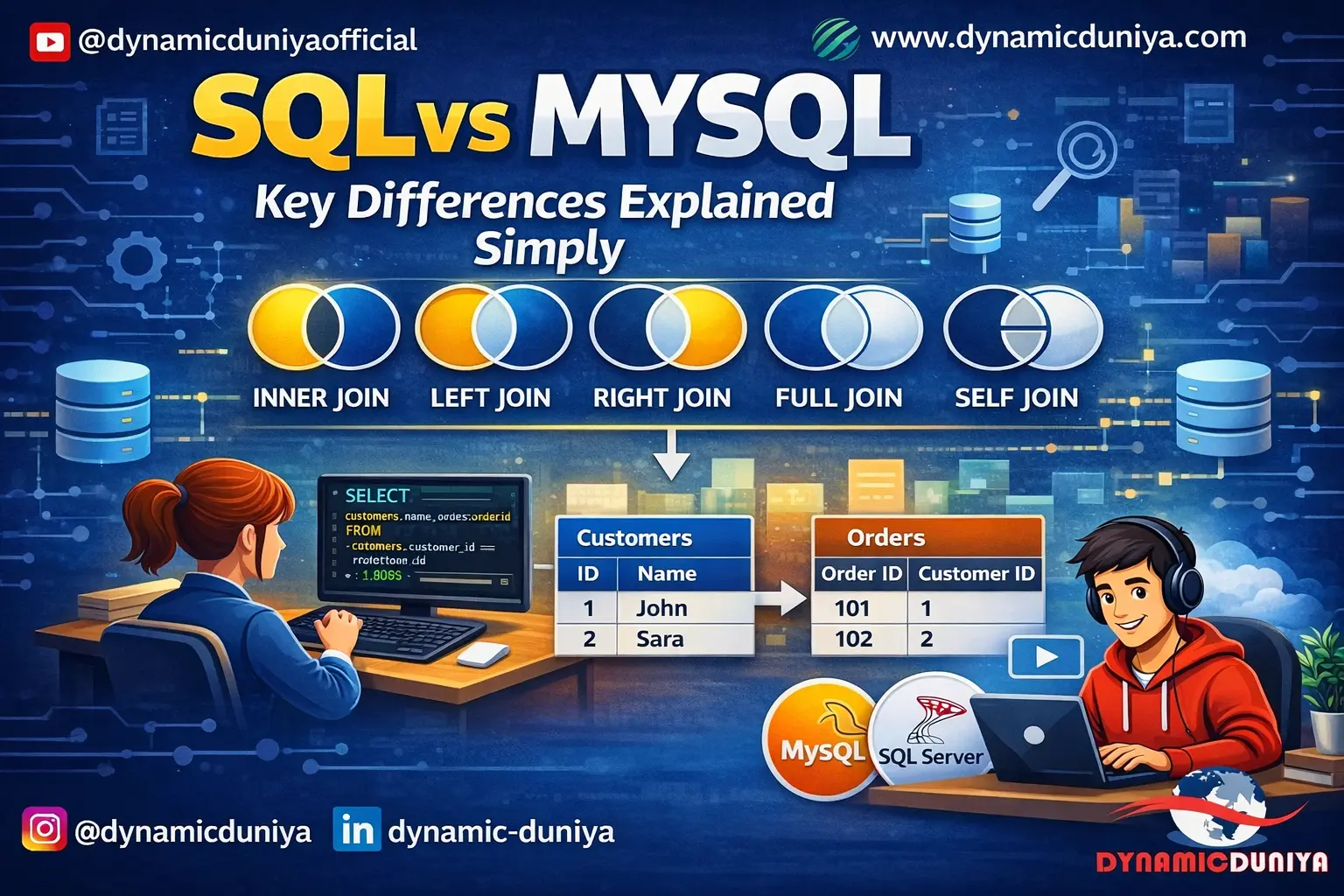
Joins are the most important skill in SQL — and the most misunderstood. This guide covers all six types of SQL joins with plain-English explanations, real-world use cases, and clean code examples built on a single e-commerce dataset. From INNER JOIN to SELF JOIN, you'll know exactly which join to use and when.
If there's one SQL skill that separates beginners from job-ready analysts, it's SQL joins. Not because they're complicated — but because most people learn them the wrong way. They memorize syntax without understanding what's actually happening to the data.
Here's the reality: almost every real-world SQL query involves more than one table. Customer data lives in one table. Orders in another. Products in a third. The moment you need to answer a question like "which customers haven't ordered yet?" or "what's the revenue by product category?" — you need joins. There's no way around it.
This post covers all six types of SQL joins with clear explanations, real-world use cases, and practical examples built on a single e-commerce dataset. Whether you're just getting started or you've been using LEFT JOINs by habit without fully understanding the others, this guide will fill the gaps.
If you want to practice joins in context, check out the 30 Real-World SQL Queries Examples for Practice on dynamicduniya.com — several of those queries use the patterns covered here.
Let's get into it.
A SQL JOIN combines rows from two or more tables based on a related column between them.
Think of it like this: imagine you run a small business and you have two filing cabinets. One has customer records — names, emails, addresses. The other has invoices — order dates, amounts, and a customer ID on each one. On their own, those files tell you something. But to answer "how much has each customer spent?" you need to physically match each invoice to its customer record using the customer ID.
That's exactly what a JOIN does in SQL. It finds the connection between two tables — usually a shared column like customer_id — and combines the matching rows into a single result set.
The key thing to understand is that different join types handle non-matching rows differently. That's what makes each one useful in a different situation — and that's what this post explains.
We'll use the same e-commerce dataset throughout this post for consistency. Four tables, all connected:
-- customers: customer_id, first_name, last_name, email, city, country, created_at
-- orders: order_id, customer_id, order_date, status, total_amount
-- order_items: item_id, order_id, product_id, quantity, unit_price
-- products: product_id, product_name, category, price, stock_quantity
The connecting columns are customer_id (linking customers to orders) and product_id (linking products to order_items). You can practice all of these queries for free on DB Fiddle (dbfiddle.uk) or SQLiteOnline — no installation needed.
INNER JOIN returns only the rows where there is a matching value in both tables. If a row in the left table has no match in the right table — or vice versa — it simply doesn't appear in the results. It's the strictest of all join types: both sides must have a match or the row is excluded.
Picture two overlapping circles. The left circle is Table A. The right circle is Table B. INNER JOIN returns only the overlapping center — the rows that exist in both tables simultaneously. Everything outside the overlap is ignored.
You want to see a list of all orders along with the customer name and email for each one — but only for orders that have a matching customer record in the database.
SELECT
    o.order_id,
    o.order_date,
    o.total_amount,
    c.first_name,
    c.last_name,
    c.email
FROM orders o
INNER JOIN customers c ON o.customer_id = c.customer_id
ORDER BY o.order_date DESC;Every row in the result has both order data and customer data filled in. There are no blanks, no NULLs. If any order had a customer_id with no matching record in the customers table, that order would silently disappear from the results.
Use INNER JOIN when you only care about records that have a match on both sides. It's the default join — when people write JOIN without specifying a type, SQL treats it as INNER JOIN. Use it for reporting where incomplete data would be misleading.
Assuming INNER JOIN will always return all rows from one of the tables. It won't. If your data has orphaned records — orders with no matching customer, for example — those rows vanish silently. Always check your row counts if something looks off.
LEFT JOIN (also written as LEFT OUTER JOIN) returns all rows from the left table, and the matching rows from the right table. If there's no match on the right side, the result still includes the left table row — but fills the right table columns with NULL. Nothing from the left table gets dropped.
Picture the two overlapping circles again. LEFT JOIN returns the entire left circle — both the overlapping part and the non-overlapping part on the left. The right circle only contributes where it overlaps with the left.
You want a list of all customers and their orders — including customers who haven't placed any orders yet. A re-engagement campaign needs exactly this kind of list.
SELECT
    c.customer_id,
    c.first_name,
    c.last_name,
    c.email,
    o.order_id,
    o.total_amount
FROM customers c
LEFT JOIN orders o ON c.customer_id = o.customer_id
ORDER BY c.customer_id;LEFT JOIN is also the foundation of a very common pattern — finding records with no match at all:
-- Find customers who have NEVER placed an order
SELECT
    c.customer_id,
    c.first_name,
    c.email
FROM customers c
LEFT JOIN orders o ON c.customer_id = o.customer_id
WHERE o.order_id IS NULL;Every customer appears in the results. Customers who have placed orders will have order data filled in. Customers who haven't ordered yet will appear with NULL in the order columns — but they're still in the results.
LEFT JOIN is probably the join you'll use most often in real work. Use it any time you want to keep all records from the primary (left) table regardless of whether they have a match on the right side.
Forgetting that NULL doesn't mean zero. A customer with NULL in the order_id column hasn't placed zero orders — they have no order record at all. If you use SUM() or COUNT() without accounting for NULLs, your aggregations will be wrong. Use COALESCE(SUM(o.total_amount), 0) to replace NULL with 0 where needed.
RIGHT JOIN (also written as RIGHT OUTER JOIN) is the mirror image of LEFT JOIN. It returns all rows from the right table, and the matching rows from the left table. If there's no match on the left side, the left table columns show NULL — but the right table row is always included.
This time, the entire right circle is returned — both the overlapping center and the non-overlapping part on the right. The left circle only contributes where it overlaps with the right.
You want to see all products in your catalogue, along with any orders that included each product — including products that have never been ordered.
SELECT
    p.product_id,
    p.product_name,
    p.category,
    oi.order_id,
    oi.quantity
FROM order_items oi
RIGHT JOIN products p ON oi.product_id = p.product_id
ORDER BY p.product_id;Every product appears in the result. Products that appear in orders will have order_id and quantity filled in. Products that have never been ordered will show NULL in the order_items columns — but they're still included.
Honestly, RIGHT JOIN is rarely used in practice. Most SQL writers simply flip the table order and use LEFT JOIN instead — it's easier to reason about. The query above could be rewritten as a LEFT JOIN with products on the left and order_items on the right, producing identical results.
Mixing LEFT and RIGHT JOINs in the same query. If your team consistently uses LEFT JOIN, stick with that for readability. Switching between left and right joins in the same query makes it hard to follow the logic.
FULL OUTER JOIN returns all rows from both tables. Where there's a match, the columns from both tables are filled in. Where there's no match on either side, the missing columns show NULL. Nothing gets dropped — every row from every table appears in the result.
The entire left circle plus the entire right circle — both overlapping and non-overlapping parts from both sides. Every row from both tables appears at least once in the result.
You're doing a data audit and want to see every customer and every order in one result — including customers with no orders AND any orphaned orders with no customer record. This helps identify data integrity issues.
SELECT
    c.customer_id,
    c.first_name,
    c.last_name,
    o.order_id,
    o.total_amount
FROM customers c
FULL OUTER JOIN orders o ON c.customer_id = o.customer_id
ORDER BY c.customer_id;
MySQL does not support FULL OUTER JOIN directly. Simulate it by combining a LEFT JOIN and RIGHT JOIN with UNION:
SELECT c.customer_id, c.first_name, o.order_id, o.total_amount
FROM customers c
LEFT JOIN orders o ON c.customer_id = o.customer_id

UNION

SELECT c.customer_id, c.first_name, o.order_id, o.total_amount
FROM customers c
RIGHT JOIN orders o ON c.customer_id = o.customer_id;You get three types of rows: rows where both sides matched (all columns filled), rows from the left with no match (right columns are NULL), and rows from the right with no match (left columns are NULL).
Use FULL OUTER JOIN for data reconciliation, auditing, and finding gaps in your data — situations where missing matches on either side are important information, not just noise to be filtered out.
Using FULL OUTER JOIN when you just want all records from one side. If you only care about missing records on the left, LEFT JOIN is sufficient and more efficient. FULL OUTER JOIN returns a large result set and can be slow on big tables.
CROSS JOIN returns the Cartesian product of two tables — every row in the left table is combined with every row in the right table. There's no ON condition because you're not matching rows — you're generating all possible combinations. If Table A has 10 rows and Table B has 5 rows, the result has 50 rows.
CROSS JOIN doesn't follow the Venn diagram logic at all — it has no concept of matching or overlap. It's more like a multiplication table. Every row from the left meets every row from the right, unconditionally.
You want to generate a pricing matrix — all combinations of product categories and discount tiers — so a pricing analyst can fill in the rates manually.
SELECT
    p.category,
    d.discount_tier,
    d.discount_pct
FROM products p
CROSS JOIN discount_tiers d
ORDER BY p.category, d.discount_tier;
Other common uses: generating test data, building date grids, or creating all possible pairings for a round-robin tournament schedule.
A very wide result with no NULLs anywhere — every left table row appears paired with every right table row. If you have 50 products and 4 discount tiers, you get exactly 200 rows.
Use CROSS JOIN deliberately and sparingly. It's the right tool when you genuinely need all combinations — scheduling, matrix generation, combinatorial analysis. It's almost never the join you want for regular reporting.
Creating a CROSS JOIN by accident. If you forget the ON clause in a regular JOIN, some SQL dialects will silently produce a Cartesian product. Always check your row counts after any join — if the result has far more rows than expected, a missing ON condition is almost certainly the cause.
A SELF JOIN is when you join a table to itself. There's no special SELF JOIN keyword — you use a regular JOIN (INNER or LEFT) and give the same table two different aliases so SQL can tell them apart. It sounds unusual, but it's genuinely useful for hierarchical or comparative data that lives within a single table.
Think of it as the same circle joined to a copy of itself. You're not bringing in a new table — you're comparing rows within the same table against each other using two different perspectives on the same data.
Find all customers who are from the same city as another customer — useful for identifying regional clusters or potential referral networks.
SELECT
    a.customer_id,
    a.first_name AS customer_name,
    a.city,
    b.first_name AS same_city_customer
FROM customers a
JOIN customers b ON a.city = b.city
    AND a.customer_id <> b.customer_id
ORDER BY a.city, a.customer_id;-- employees table: employee_id, name, manager_id
SELECT
e.name AS employee_name,
m.name AS manager_name
FROM employees e
LEFT JOIN employees m ON e.manager_id = m.employee_id
ORDER BY manager_name;Each row shows a pair of related records from the same table. The AND a.customer_id <> b.customer_id condition stops a row from matching itself — without it, every customer would appear paired with themselves.
Use SELF JOIN for hierarchical relationships (employees and managers, categories and subcategories), finding duplicates, or comparing rows within the same table based on a shared attribute.
Forgetting to exclude a row from matching itself. Without the <> condition, every record appears paired with itself — which produces misleading results and inflated row counts.
Real-world queries rarely stop at two tables. Once you're comfortable with the basics, chaining multiple JOINs together is the next step — and the logic is straightforward once you understand it.
Each JOIN adds another table to the result, one at a time. SQL processes them in order — first join, then second join, then third — building up the combined result set as it goes.
Here's a practical example. You want a complete order breakdown — showing the order date, product name, how many units were ordered, and the line total. That requires three tables: orders, order_items, and products.
SELECT
    o.order_id,
    o.order_date,
    o.status,
    p.product_name,
    p.category,
    oi.quantity,
    oi.unit_price,
    (oi.quantity * oi.unit_price) AS line_total
FROM orders o
-- Step 1: bring in the order line items
JOIN order_items oi ON o.order_id = oi.order_id
-- Step 2: bring in the product details for each line item
JOIN products p ON oi.product_id = p.product_id
ORDER BY o.order_id, p.product_name;Start with orders as the base. The first JOIN brings in order_items — each order can have multiple line items, so this expands the result (one row per line item per order). The second JOIN brings in products — each order_item references one product, so this adds product details without further expanding the rows.
This is a common point of confusion, and the distinction is simple once you see it.
Here's a side-by-side example to make the contrast obvious.
JOIN — adds columns from orders to customers:
-- Result has columns from BOTH tables side by side (wider)
SELECT c.first_name, c.email, o.order_id, o.total_amount
FROM customers c
LEFT JOIN orders o ON c.customer_id = o.customer_id;
UNION — stacks two separate results into one list:
-- Combine customers from India and USA into one list (taller)
SELECT first_name, email, city FROM customers WHERE country = 'India'
UNION
SELECT first_name, email, city FROM customers WHERE country = 'USA';UNION ALL if you want to keep duplicates.Joins are powerful but can slow your queries down significantly on large datasets if you're not careful. Here are four practical tips that make a real difference.
When SQL executes a join, it has to find matching rows between two tables. If the join column isn't indexed, it scans every row — which is very slow on large tables. The columns you join on (customer_id, order_id, product_id) should always have an index. Primary keys are indexed by default. Foreign keys often aren't — add indexes to them explicitly.
SELECT * retrieves every column from every table in the join. On a three-table join with wide tables, that's a lot of unnecessary data being transferred. Always specify only the columns you actually need. This reduces memory usage and speeds up both the query and any downstream processing.
Put your WHERE conditions as early as possible. SQL optimizers are smart, but helping them by being specific reduces the number of rows that need to be joined in the first place. For example, if you only want completed orders, add WHERE o.status = 'completed' — don't join everything first and filter later.
A CROSS JOIN on two tables with 10,000 rows each produces 100,000,000 rows. That will bring most databases to their knees. If you're using CROSS JOIN intentionally, always make sure at least one of the tables is small. If your result set is unexpectedly huge, check whether you've accidentally created a Cartesian product by forgetting an ON clause.
| Join Type | What It Returns | Use When | Common Mistake |
|---|---|---|---|
| INNER JOIN | Rows with a match in both tables | You only want matched records | Forgetting that unmatched rows are silently dropped |
| LEFT JOIN | All rows from left + matched rows from right | You want all left records regardless of match | Confusing NULL with zero in aggregations |
| RIGHT JOIN | All rows from right + matched rows from left | You want all right records regardless of match | Using RIGHT JOIN when flipping to LEFT JOIN is cleaner |
| FULL OUTER JOIN | All rows from both tables | Data audits, finding gaps on either side | Using it when LEFT JOIN is sufficient — it's heavier |
| CROSS JOIN | Every combination of both tables | Generating all possible pairings or combinations | Creating one accidentally by forgetting the ON clause |
| SELF JOIN | A table joined to itself | Hierarchical data, comparing rows within the same table | Forgetting to exclude self-matches with <> |
Try these on your own using the e-commerce dataset. No answers provided — working through them yourself is the point.
You've now seen all six types of SQL joins — how they work, when to use them, and the mistakes to avoid with each one. INNER JOIN for matched records only. LEFT JOIN for keeping all records from your primary table. RIGHT JOIN as the mirror image. FULL OUTER JOIN for complete data on both sides. CROSS JOIN for deliberate combinations. SELF JOIN for comparing rows within the same table.
The honest truth is that knowing which SQL join to use doesn't come from memorizing definitions — it comes from writing queries, reading results, and asking "is this the right shape of data for what I need?" The more you practice, the more instinctive it becomes.
For more SQL tutorials built the same way — real examples, plain-English explanations, zero fluff — visit dynamicduniya.com. And if you haven't gone through the 30 Real-World SQL Queries Examples for Practice yet, that's the best next step. Several of those queries use exactly the join patterns covered in this post.
Sign in to join the discussion and post comments.
Sign in